
Joining and Leaving Groups in ParentSquare
Posted Date: 07/31/25 (09:00 AM)
Hello Falcons,
There are a few different ways to manage which groups you join in ParentSquare. You may receive a join link from a coach or group leader when a new group is created. You can also see groups that we have set as Public which you can join or leave when logged into ParentSquare.
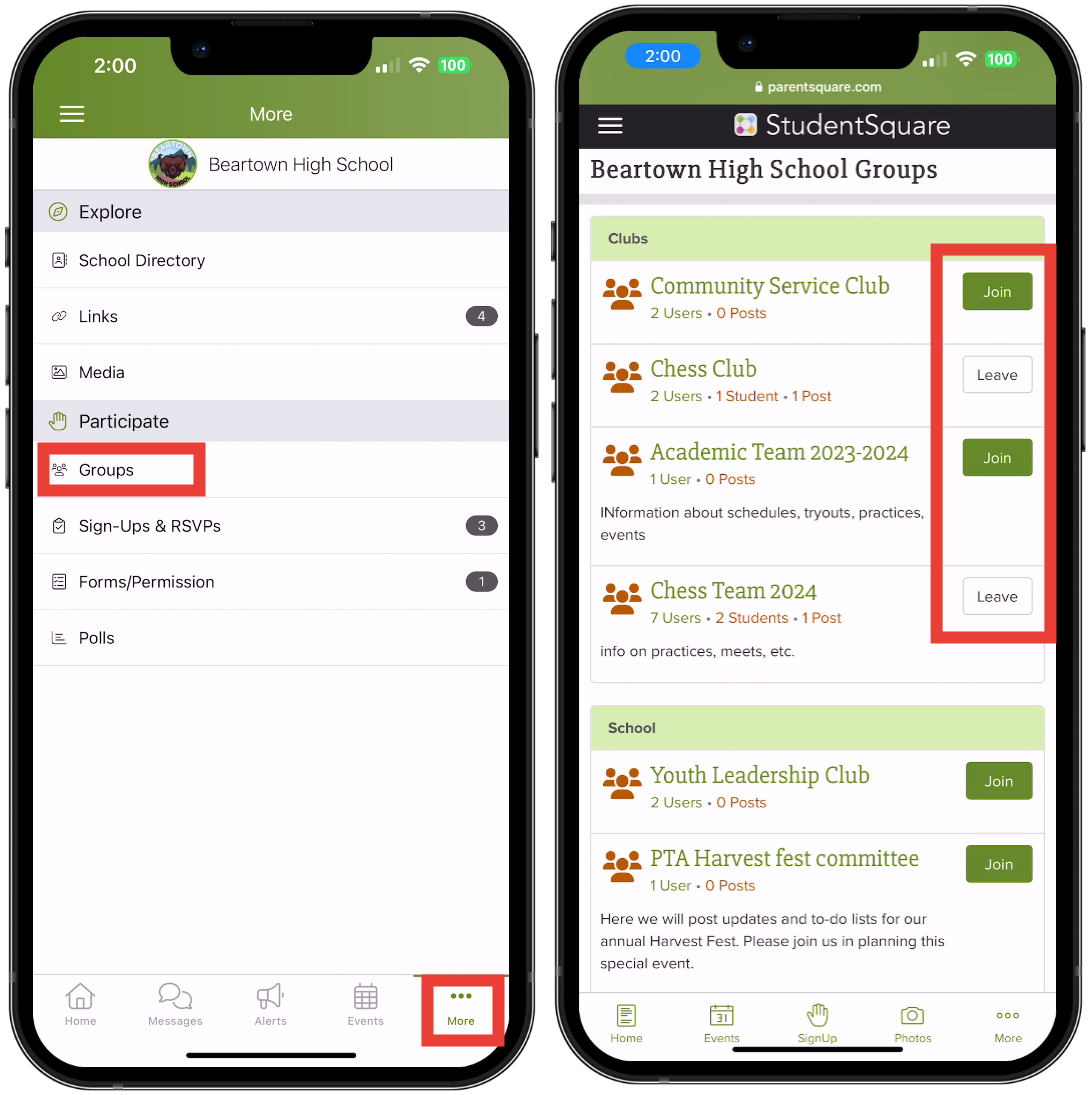
To join a group in the Mobile App:
- On the Home screen, tap More on the bottom of the app.
- Tap Groups.
- For public Groups, you can click on a name to view the Group page.
- Click Join to join the Group and receive notifications from it.
- Click Leave to remove yourself from the Group and to stop receiving notifications.
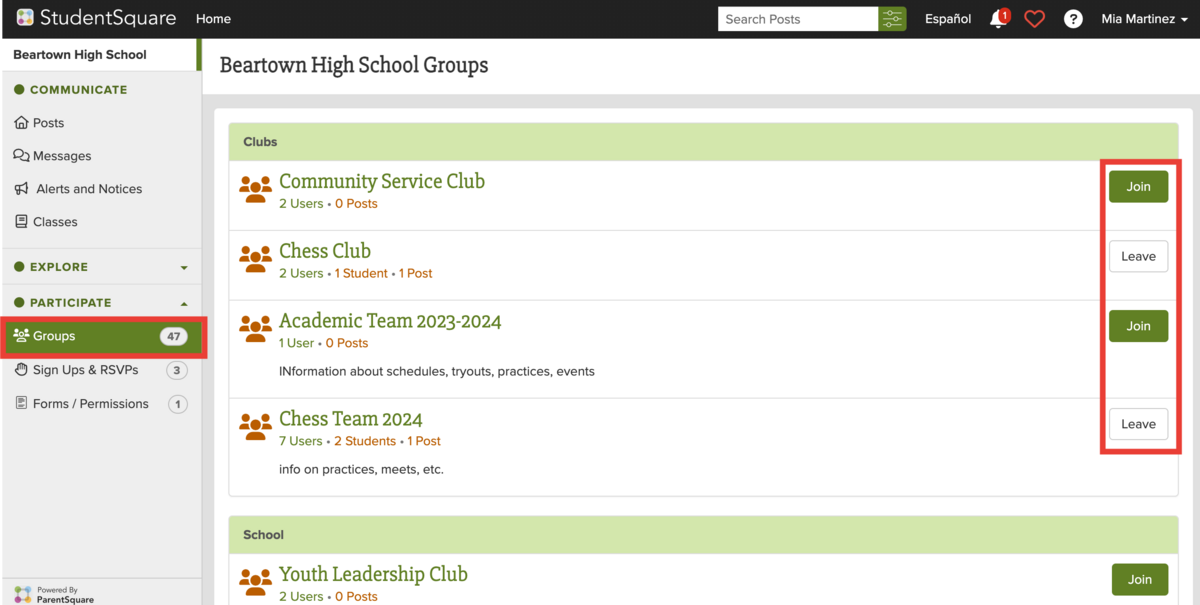
To join a group in a browser like Chrome or Safari:
- On the Home screen, select Groups from the left side navigation bar.
- For public Groups, you can click on a name to view the Group page.
- Click Join to join the Group and to receive notifications.
- Click Leave to remove yourself from the Group and to stop receiving notifications.
 If you have any trouble with groups, please contact Mr. Willis here on ParentSquare or email him at willis.walker@gcmsk12.org.